Sales and stock management for restaurants, grocery shops and boutiques.
Record your sales, manage your stock and inventory, track your customers' credit and get your accounts every evening: total sold, cash, Wave, Orange Money… Your customers pay you as usual: Kaislo never collects the money. On phone, tablet or computer.

See Kaislo in action, in one minute.
Introducing Kaislo 1 min 20 · French voice-over
The full tour: dashboard, selling, tables, sales and sales days, credit, items, team.
Try the demo →More tutorials


What Kaislo does for you, every day.
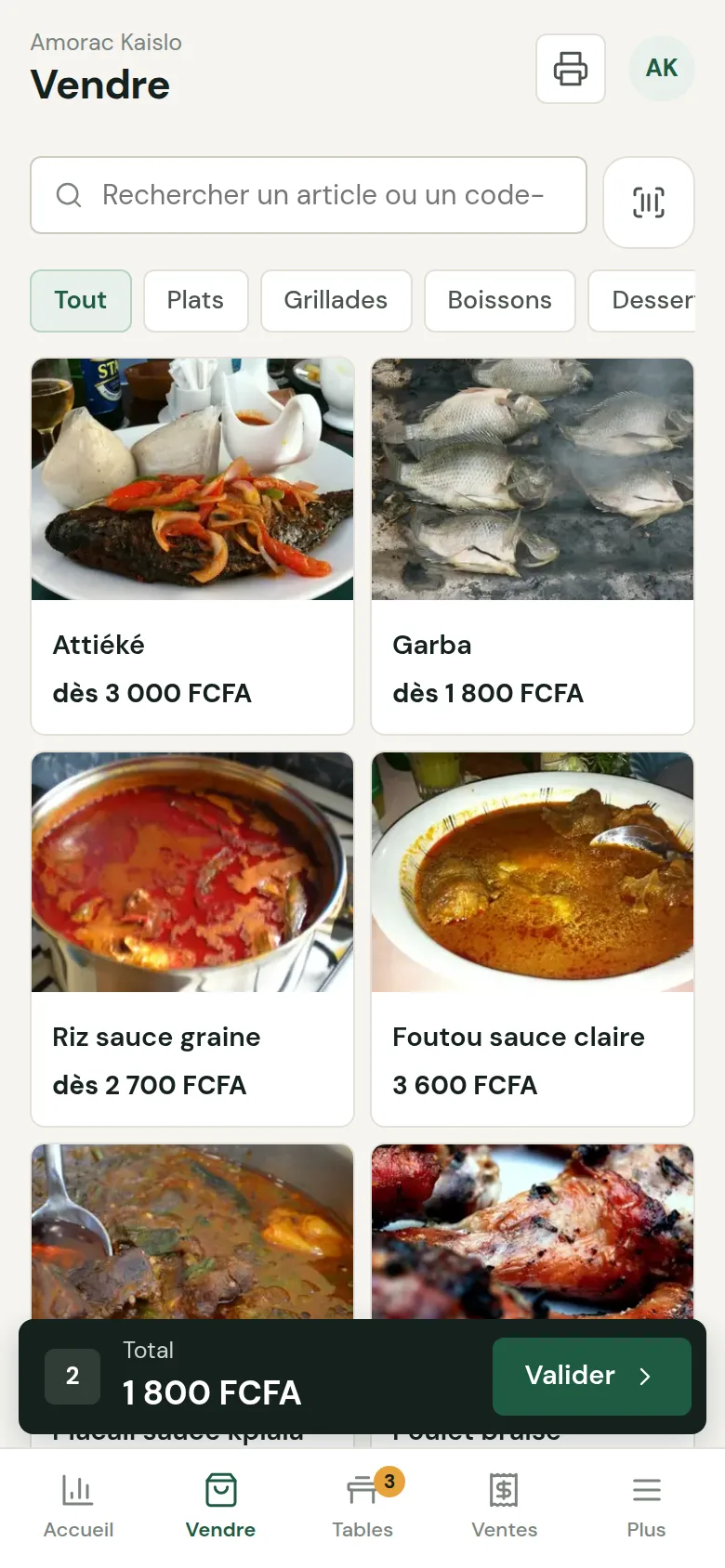
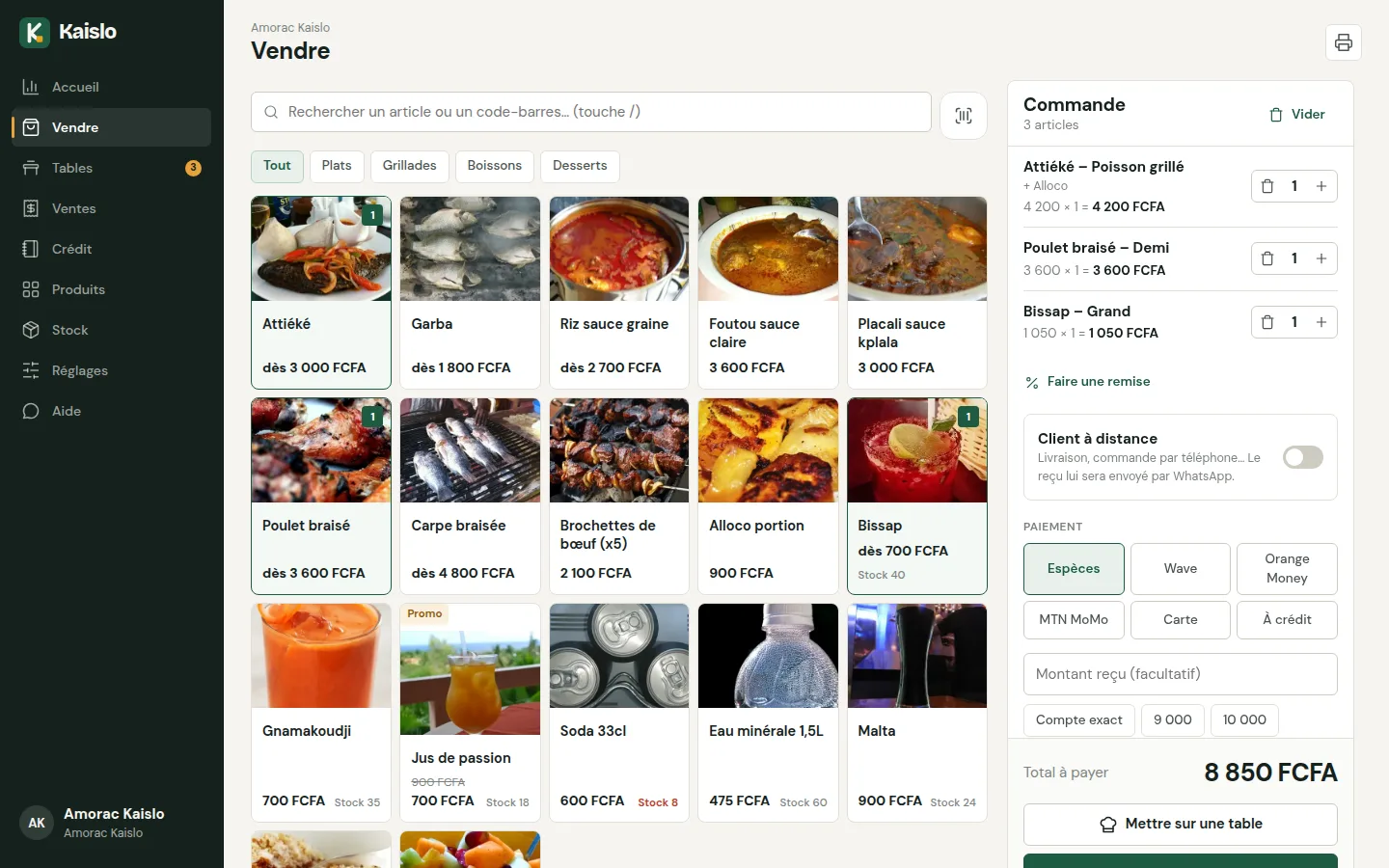
Record a sale in a few taps
Tap the item, choose the side or the size, confirm. The price is calculated automatically and the receipt goes to the printer.
- Search and barcode reader
- Discounts and promotional prices
- Remote customer: receipt sent via WhatsApp
- Cash payment with change calculated for you
Open and close the day, every day
In the morning, you count the starting float. In the evening, Kaislo gives the total sold, the total received by payment method (cash, Wave, Orange Money…), the expected cash and the difference, then prints the closing receipt.
- Total by payment method, to check each account
- Who opened, who closed, and at what time
- History of every sales day
- Sales can only be cancelled with the manager's PIN

Replace the credit notebook
Each customer has an account: credit purchases, repayments and total owed. A receipt is printed for every repayment and a WhatsApp reminder is prepared in one click.

Manage stock and do the inventory
Stock goes down with every sale, on all your devices. Record goods received, count, correct: Kaislo alerts you before you run out and calculates the value of your stock.
- Goods received with purchase price and supplier
- Inventory exported to Excel in one click
- For grocery shops, boutiques, depots… and a restaurant's drinks

Manage tables and the kitchen
Open an order per table, add dishes during the meal: the new dishes go to the kitchen on a ticket without prices. The sale is confirmed at the end.

Purchase prices, goods received, inventory, out-of-stock alerts, stock value and Excel export.
Each seller logs in with their number and PIN. You decide who can change prices or give discounts.
Printed (Bluetooth, AirPrint, USB), sent via WhatsApp or simply kept in the history: a printer is not required.
CFA franc, dirham, euro, dollar… For each sale, you note how the customer paid (cash, Wave, Orange Money, MTN MoMo, card…): in the evening, you see the total for each method.
Revenue for the day, week, month and year, by item, by seller and by payment method.
Market, gas, transport: the day's balance appears on the dashboard.
Add a photo of your dishes and items, and organise them into categories.
Promo price shown crossed out at the time of sale, discount as a percentage or an amount.
The same account on all your devices, usable with the keyboard on a computer.
A management tool for your accounts, not a payment system.
In your business, nothing changes for your customers: they pay you as usual. Kaislo helps you record, count and check.
The customer pays you directly
Cash, Wave, Orange Money, MTN MoMo, card on your terminal: the money goes to you, never to Kaislo.
You note the method used
When confirming the sale, you indicate how the customer paid. It is just a note for your accounts.
In the evening, the accounts are done
Total sold, total cash, total Wave, total Orange Money… and the difference with what you counted.
Kaislo does not receive any payment from your customers. Only the Kaislo subscription is paid online. Tax and cash register obligations depend on your country: see the question “Is Kaislo a cash register…” below.
Tailored to your business from the moment you create your account.
Restaurants and casual eateries
- Tables and kitchen ticket
- Dishes with sides
- Margin per dish
Grocery shops and convenience stores
- Barcodes and stock
- Customer credit book
- Out-of-stock alerts
Boutiques and other businesses
- Cosmetics, hardware, phones, depots…
- Stock, inventory and purchase prices
- Sellers and permissions
Ready-made business types: Restaurant · Casual eatery / snack / fast food · Bar / café / lounge · Bakery / pastry shop · Grocery / convenience store / food shop · Wholesaler / depot / distributor · Clothes / shoes shop · Hardware / building materials · Pharmacy / health & beauty · Cosmetics / beauty / salon · Phones / electronics · Bookshop / stationery · Other business or service.
A day at the restaurant, without a single calculation.
Picture a day with 20 grilled chickens at 3,600 FCFA, 15 plates of rice with palm-nut sauce at 2,700 FCFA and 30 drinks at 700 FCFA. With every sale, Kaislo updates the dashboard. In the evening, the manager sees straight away what they have earned.
The balance is sales minus the expenses entered, before any other costs (rent, salaries…).
Ready to sell in a few minutes.
Create your business
Name, country, city, your phone number and your PIN.
Add items and sellers
Your dishes or products with their prices, and an account for each seller.
Open the day and sell
Connect the Bluetooth printer and make your first sale.
You may be wondering…
Do I need to buy any hardware?
No. Kaislo runs on the phone, tablet or computer you already have. The printer is optional: the receipt can be sent via WhatsApp or simply kept in the history. If you want to print, a small entry-level thermal printer is enough.
Can I use Kaislo just to manage my stock?
Yes. Kaislo is also a management tool: stock, inventory, goods received, expenses and statistics, with or without selling at the counter.
How much does Kaislo cost?
You start with a free 30-day trial, no commitment. After that, a simple monthly subscription in your country's currency. Contact us to find out the price where you are.
Does Kaislo collect my customers' money?
No, never. Your customer pays you directly: in cash, by Wave, Orange Money, MTN MoMo, by card on your own terminal… The money does not go through Kaislo. In Kaislo, you only choose the payment method used so that your accounts are accurate at closing.
Is Kaislo a cash register subject to cash register laws?
Kaislo is a management tool: it records your sales, tracks your stock and credit, and prepares your evening accounts. It does not receive payments and is not a payment terminal. Rules on cash registers and invoicing differ from country to country and by type of business: if your country requires a certified device or software, you are free to keep it alongside Kaislo to make your accounts simpler. Check with your tax authority or your accountant; we are happy to help you organise your data.
What are payment methods for in Kaislo?
To help you make sense of your accounts. With every sale, you note how the customer paid. At closing, Kaislo gives you the total sold, the total in cash, in Wave, in Orange Money, and so on, plus the cash that should be in the drawer. These totals are also on the closing receipt.
Which countries does Kaislo work in?
Everywhere. Kaislo handles the CFA franc, the dirham, the euro, the dollar and other currencies, with each country's usual payment methods: cash, card, Wave, Orange Money, MTN MoMo…
How do my sellers log in?
Each one with their phone number and a 4-digit PIN. You create them yourself in Settings → Team, and you can deactivate them at any time.
Can I send the receipt to the customer via WhatsApp?
Yes. For a delivery or a phone order, tick “Remote customer” and enter their number: the full receipt opens in WhatsApp, ready to send.
Does it work on iPhone and on a computer?
Yes, Kaislo works on Android, iPhone, Windows and Mac. Bluetooth printing from the browser works with Chrome (Android and computer); the Kaislo mobile app will bring it to iPhone too.
How does the credit book work?
When confirming the sale, choose “On credit” and the customer. Kaislo keeps the history of their purchases and repayments, shows what they owe, and prepares a WhatsApp reminder.
Is Kaislo suitable for my type of business?
Yes: restaurants and casual eateries, bars, bakeries, grocery shops, wholesalers and depots, boutiques, hardware stores, pharmacies and health & beauty shops, beauty salons, phones and electronics, bookshops and stationers… When you sign up, Kaislo prepares the categories and the selling unit for your type of business (piece, kg, litre, metre, carton…), and you can change everything.
Try Kaislo in your business.
Create your account in two minutes, or try the demo with a restaurant and a grocery shop already filled in.