Sales management software for restaurants, casual eateries and snack bars.
Tables, kitchen ticket, dishes with sides, customer receipt printed or sent via WhatsApp: serve faster and know every evening what you have earned.

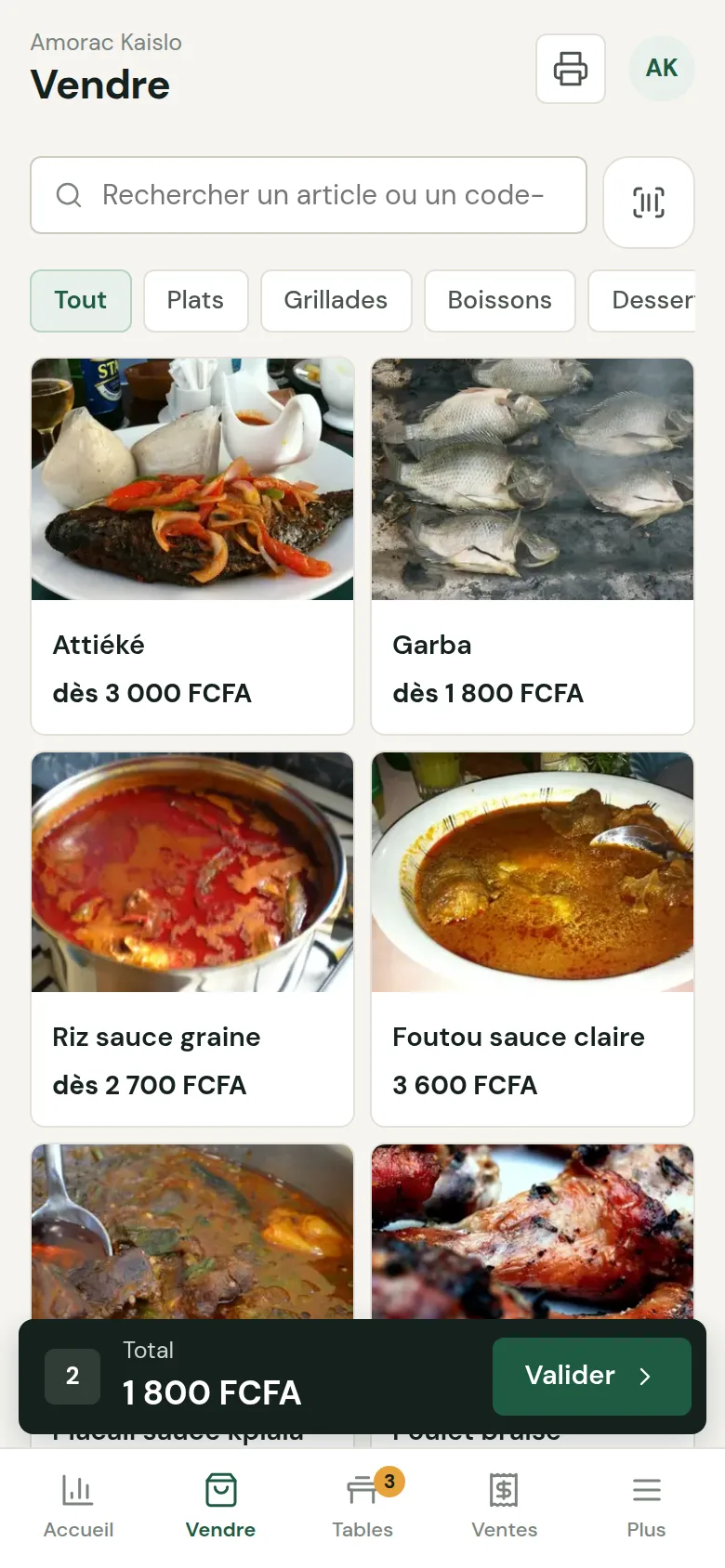
A complete order, explained in one minute.
Restaurant: from order to receipt 1 min · French voice-over
Dishes with sides, Wave payment, receipt printed or sent via WhatsApp, the day's revenue.
Try the demo →Managing your sellers 1 min · French voice-over
One account and PIN per seller, permissions of your choice, deactivation in one tap, each seller's sales.
Try the demo →More tutorials


From the first dish to the end of the day.
Each feature solves a real restaurateur's problem: order mistakes, forgotten tables, takings to recount in the evening.
Take the order, send it to the kitchen
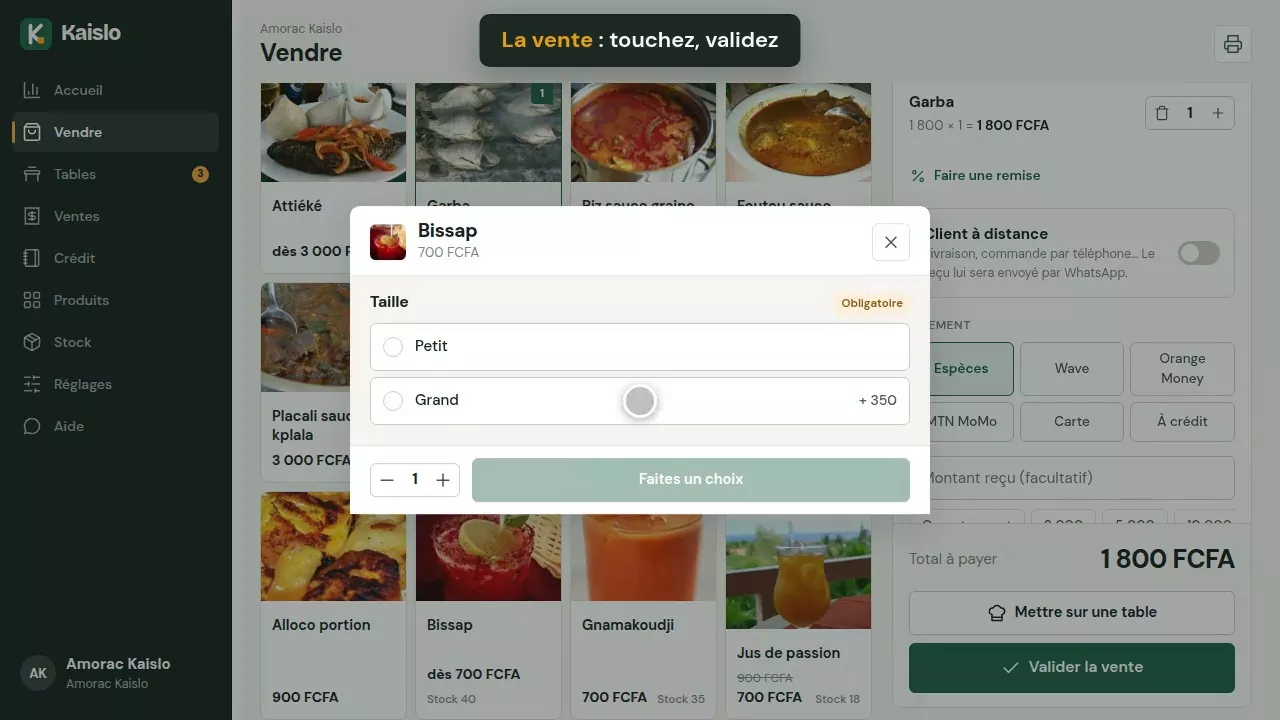
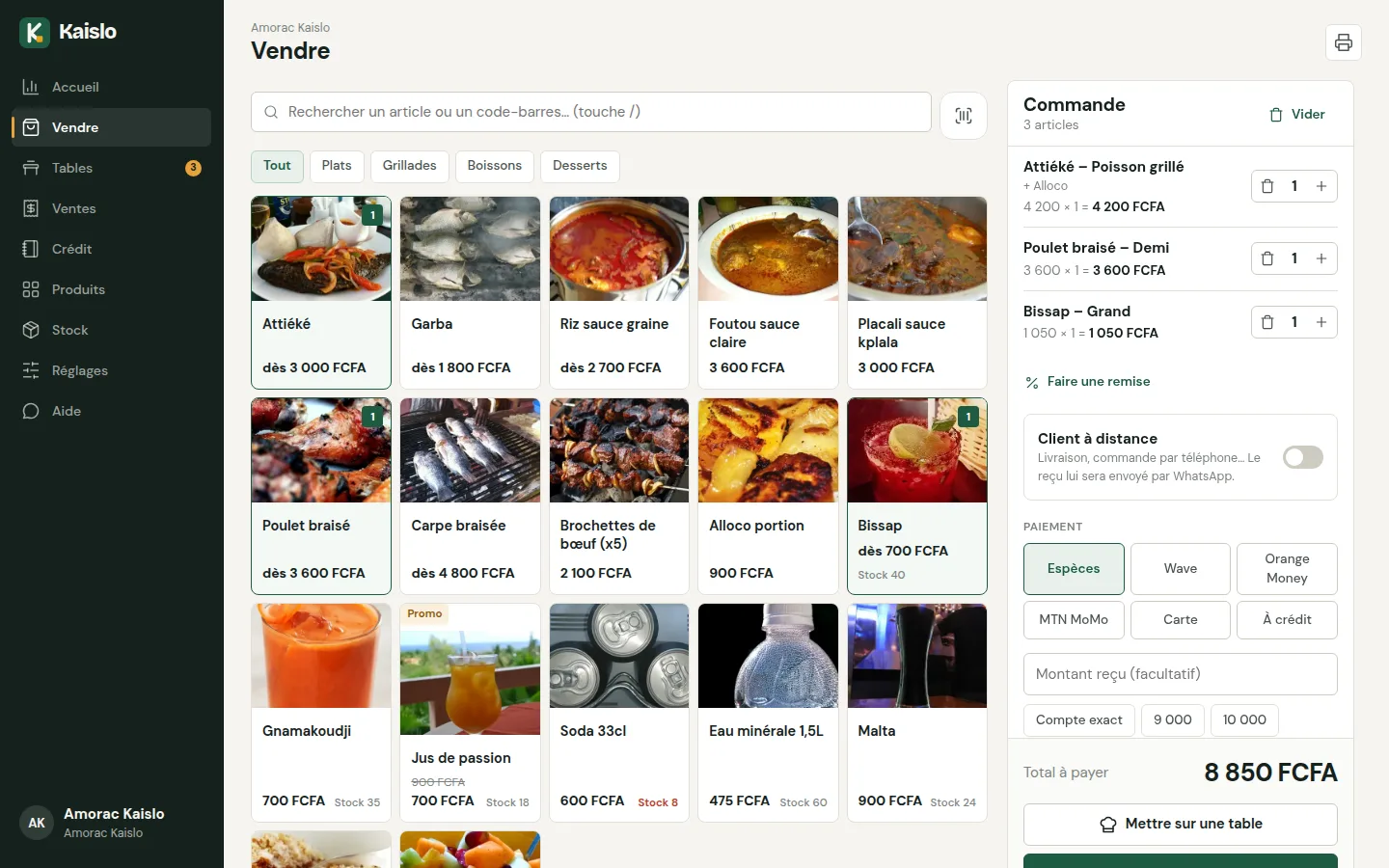
Open the table, add the dishes with their sides: the kitchen ticket goes out without prices. Add dishes during the meal and confirm the sale at the end.
- Table plan, free and occupied
- Sides and extras at the right price
- Takeaway or remote customer
Close the day without recounting by hand
In the evening, Kaislo shows the expected cash, the total sold per dish and the difference with the amount counted. Every day stays in the history.

See at a glance the free tables, the occupied ones, and those waiting for more than 45 minutes.
New dishes go to the kitchen without prices, with the table and the time. Add dishes during the meal.
Attiéké (cassava couscous) + grilled fish, half or whole chicken, fried plantain extras… the right price is calculated automatically.
Receipt printed with your name, the table, the promos and any discount.
Ranking of dishes and margin per dish: do you know which one earns you the most?
At the end of service, count the notes: Kaislo calculates the expected amount and shows the difference.
Market, gas, transport: note them, and the day's balance appears on the dashboard.
One PIN per waiter. Cancellations protected by the manager's PIN.
The neighbouring offices that pay at the end of the month: everything is recorded, with the history.
Restaurateurs' questions
How does the kitchen ticket work?
Open a table, add the dishes then tap “Send to the kitchen”. Only the new dishes are sent, without prices, with the table name. You can add dishes later and confirm the sale at the end of the meal.
Can I manage sides and extras?
Yes. Each dish can have groups of options: a required choice (side, portion) and optional extras, each with its own price.
What about takeaway?
Confirm the sale directly from the sales screen, or create a “Takeaway” table to send the order to the kitchen.
Do I need a printer?
No, it is optional: the receipt preview is shown on screen. To print, a 58 or 80 mm Bluetooth thermal printer is enough.
Can I send the bill via WhatsApp?
Yes: for a delivery or a phone order, tick “Remote customer” and the receipt opens in WhatsApp, ready to send.
How much does it cost?
30-day free trial, then a subscription depending on your type of business: at your country's price (see the Pricing page), 1 station and 5 sellers included, 2 months free when paying annually. Details on the Pricing page.
Try the Kaislo restaurant demo.
A demo restaurant already filled in: occupied tables, dishes, statistics. Or create your own straight away.